


S6 ULTRA
S6 ULTRA
Couldn't load pickup availability
-
Ordered
- - -
Order Ready
- - -
Delivered
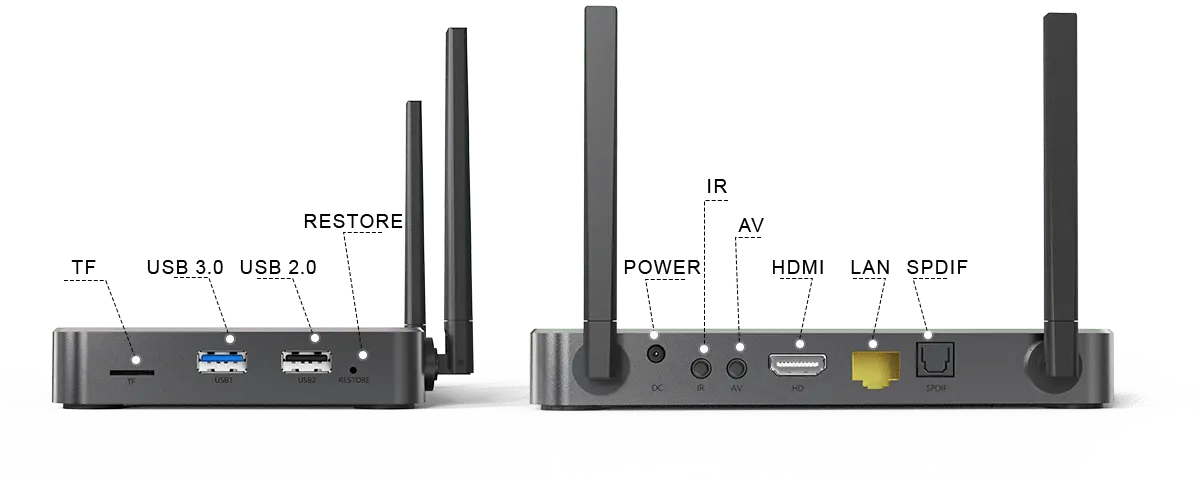
Ports Configuration
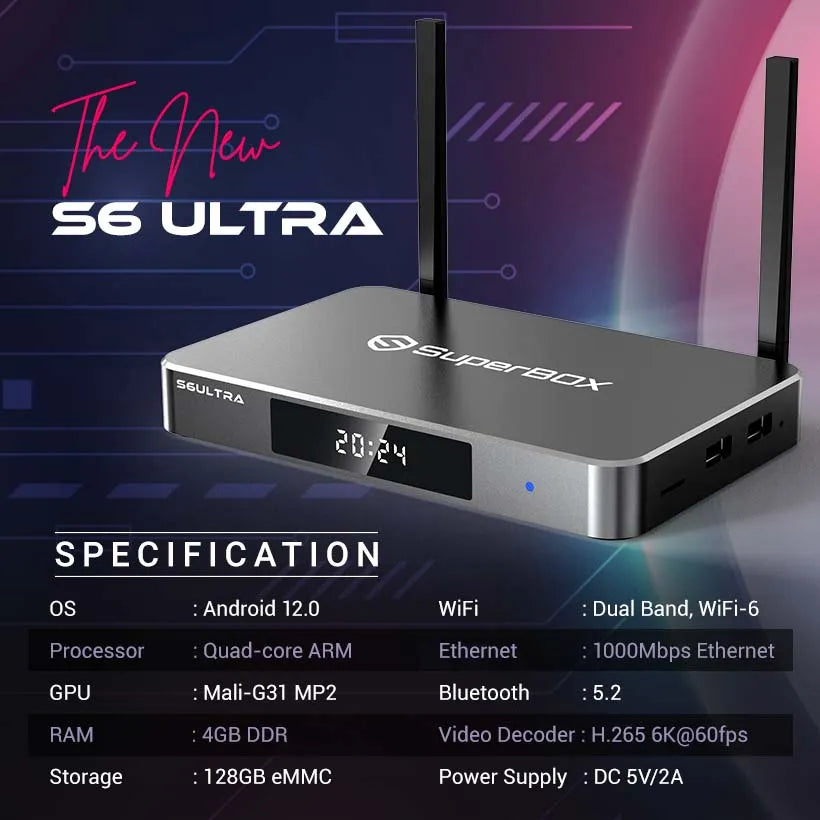
Tech Specifications
| Model | S6 ULTRA |
|---|---|
| Operate System | Android 12.0 |
| Processor | Quad-core ARM Cortex-A53 |
| RAM | 4GB DDR |
| Storage | 128GB eMMC |
| GPU | Mali-G31 MP2 |
| WiFi | Dual Band, WiFi-6 Supported |
| Ethernet | 1000Mbps Ethernet |
| Resolution | 6K Ultra HD |
| Bluetooth | 5.2 |
| Video Decoder | H.265 6K@60fps |
| Power supply | DC 5V/2A |
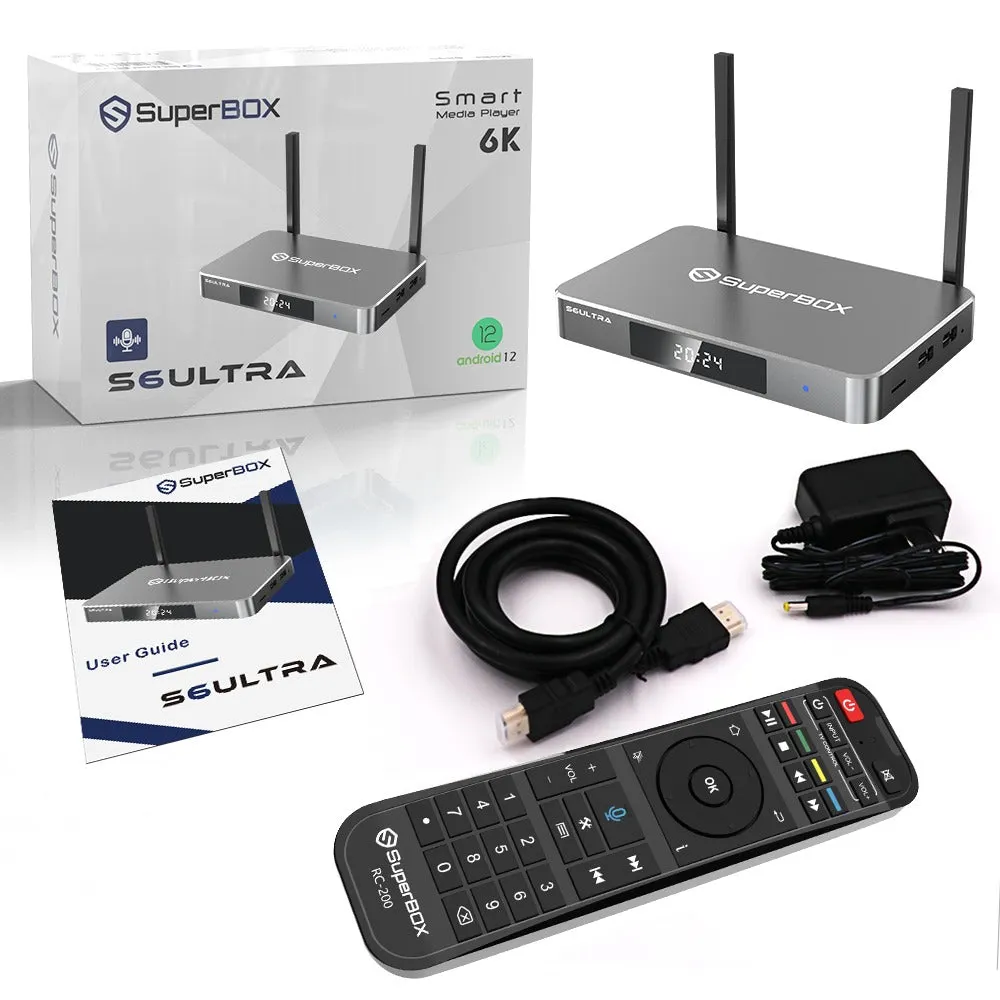
What’s In The Package
S6 Ultra TV Box
Voice Command Remote Control
HDMI Cable
Power Suply
User GuideThe S6 Ultra is the premier choice for users who demand more from their streaming device. With its substantial 128GB storage, powerful performance, and cutting-edge features, the S6 Ultra sets a new standard in home entertainment. Whether you're managing family content, utilizing voice commands, or taking advantage of the flexible time shift feature, the S6 Ultra is designed to deliver the ultimate streaming experience.

S6 ULTRA


SUPERBOX FAQ & Support
Everything you need to know about Superbox setup, channels, and features.
What is Superbox and how does it work?
Superbox is an Android-based smart TV box that streams live TV, movies, sports, and news directly to your television. Simply connect Superbox to your TV via HDMI and connect to Wi-Fi or Ethernet to start streaming.
Are there any monthly subscription fees?
No, Superbox is a one-time purchase with zero monthly fees or hidden subscriptions. Once you buy the box, you get lifetime access to available content and updates.
What internet speed is recommended for smooth streaming?
We recommend a minimum internet speed of 25 Mbps–50 Mbps for uninterrupted HD and 4K streaming. For optimal performance, connect via an Ethernet cable or use a 5GHz Wi-Fi network.
How many TVs can I use with one Superbox?
Each Superbox connects to one TV at a time via HDMI. However, because it is compact and portable, you can easily unplug it and move it to another TV in your house or take it with you on vacation.
What should I do if the box experiences buffering or freezes?
Try the following quick fixes:
- Restart your Wi-Fi router and the Superbox.
- Clear the cache in the app settings (Settings > Apps > Select App > Clear Cache).
- Switch to an Ethernet connection for better stability.
- Run a speed test on the box to confirm your internet speed.
What is the difference between Superbox models?
Newer Superbox models feature upgraded hardware specs, including faster processors, upgraded Wi-Fi chips, expanded storage, enhanced voice-control remotes, and upgraded playback/time-shift features.
Based on 100 reviews